
Out there among students and remote workers, HP 15 models keep showing up again and again. When basic needs like essays, spreadsheets, or video binges must get done – without emptying savings – the machine holds its ground well. Step by step, this review dives into what makes the HP 15 stand tall for those watching dollars but still wanting a solid build and steady performance.
All packed in one: HP 15 runs smoothly with an Intel Core i3 chip, boots fast thanks to SSD memory, shows crisp visuals on its full HD screen, lasts near eight hours per charge. This slim machine arrives ready – Windows 11 Home already installed, plus Office Home 2024 sitting tight, along with twelve months of Microsoft 365 Basic at no extra cost. Whether studying, working solo, or managing tasks daily, users find it just flows better. Effortless doing things? That’s how it feels.
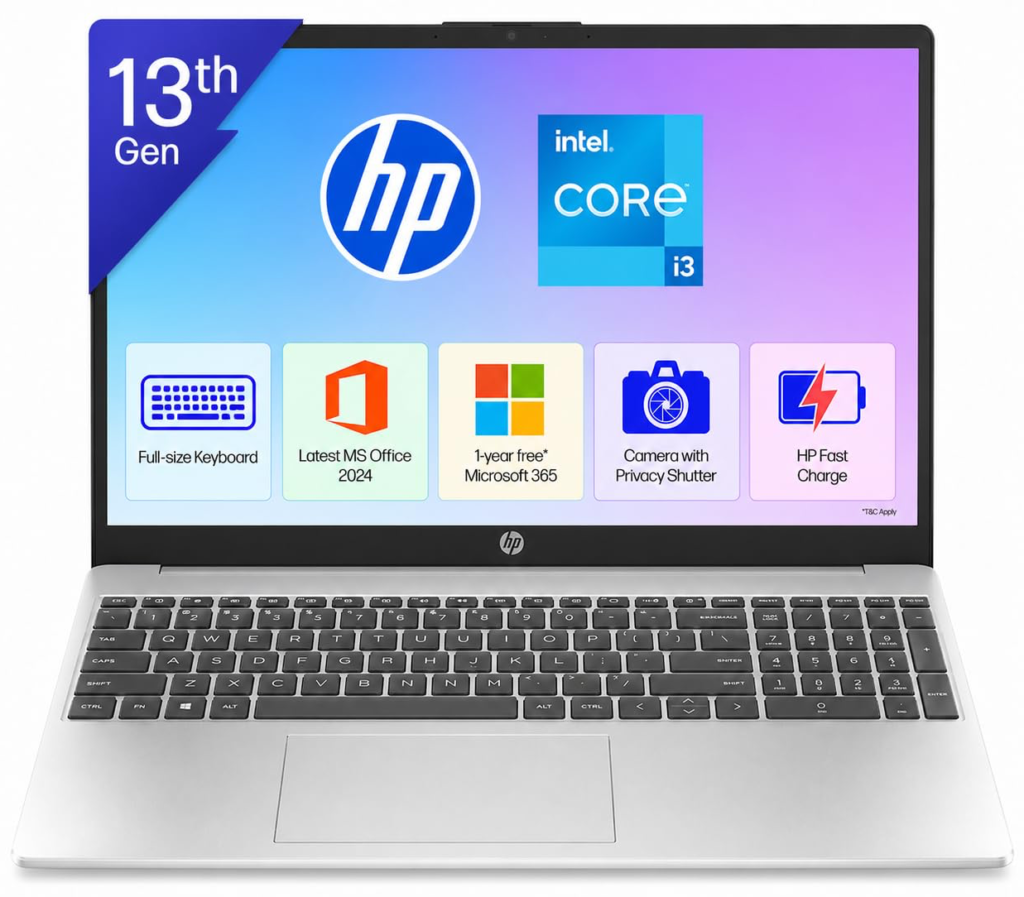
Table of Contents
Introduction
Picking a new laptop can seem like too much – but the HP 15 makes sense of it quietly. Right away, the startup feels clean, almost effortless. Because it focuses on what people actually do, it skips the clutter without losing power. For school tasks, job projects, or connecting with relatives, it just keeps up. No flash, no fuss; still, speed stays strong even when costs stay low.
HP 15 design and construction
Start using it, and the smart layout stands out right away. Tiny frame edges around the 15.6-inch screen create a clean face, making more room for what matters. Built tough but light, slipping it into your bag is effortless. Tough parts were picked on purpose – handling bumps, scrapes, still looking sharp day after day. A soft texture covers the outside, brushing off smudges like nothing.
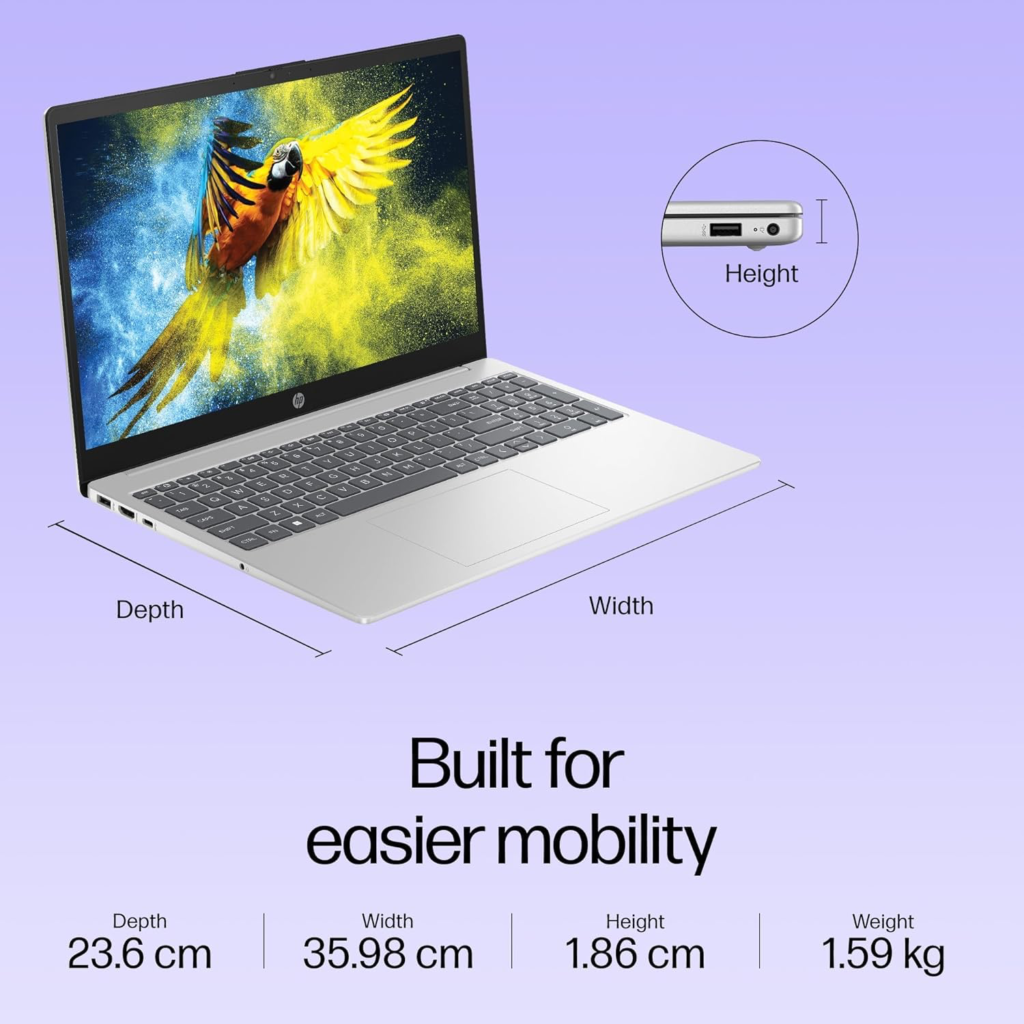
What stands out is how the HP 15 blends a manageable size with a roomy display. Light enough to tote around without hassle, it fits neatly on coffee shop surfaces or cramped study spaces. Opening it takes little effort – thanks to a hinge that resists wobbling. Then there’s the look: subtle silver tones give it quiet confidence wherever you go. Whether heading to class or sitting across from a client, holding this laptop never feels awkward.
Performance Inside the HP 15
Inside the HP 15 sits an Intel Core i3-1315U processor, capable of hitting speeds up to 4.5 GHz when needed, thanks to its built-in Turbo Boost feature. Running smoothly on 6 cores and 8 threads, backed by 10 MB of L3 cache, it handles everyday tasks like typing reports or managing budgets just fine. Open many browser windows at once – this little engine keeps going. Even small creative jobs, such as touching up photos, feel natural here.
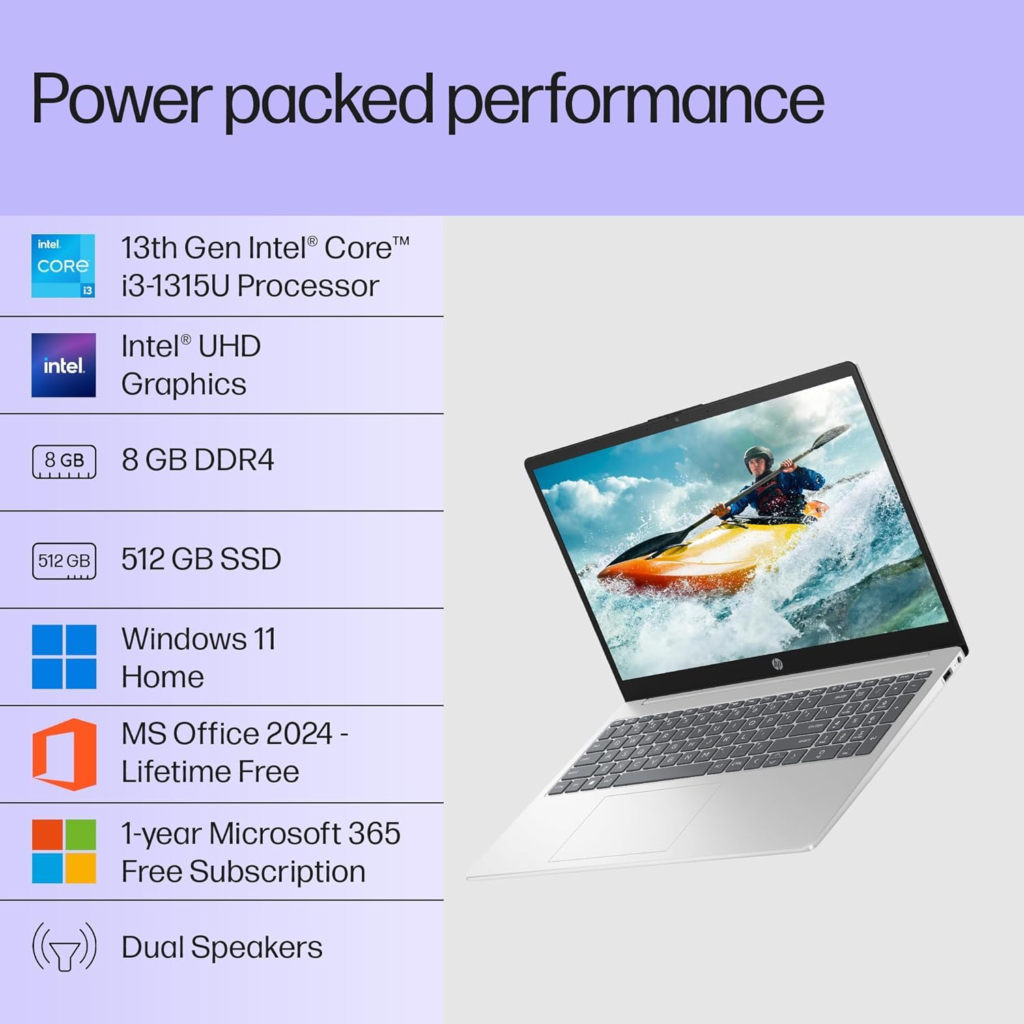
Starting strong, the HP 15 teams up that solid processor with 8 gigabytes of DDR4-3200 MT/s RAM along with a snappy 512 GB PCIe Gen4 NVMe M.2 SSD. Open programs in a blink while moving files takes just moments. Switching between windows glides smoothly instead of dragging on. Onboard Intel UHD Graphics powers through 1080p videos and light streaming without breaking stride. Day-to-day work shifts into quicker rhythms – effortless touches stretch focus further.
HP 15 Display
Bright colors come alive on the HP 15’s 15.6-inch full HD screen, which runs at 1920 by 1080 pixels. Thin borders frame the panel, giving it a clean look while cutting down distractions. Glare gets reduced thanks to a special non-reflective layer. Even when sunlight streams through nearby glass, visibility holds up – thanks to 250 nits of screen brightness. Colors cover 45% of the NTSC range, making images feel grounded and true during everyday tasks. Pages, slides, or videos appear balanced without oversaturation.
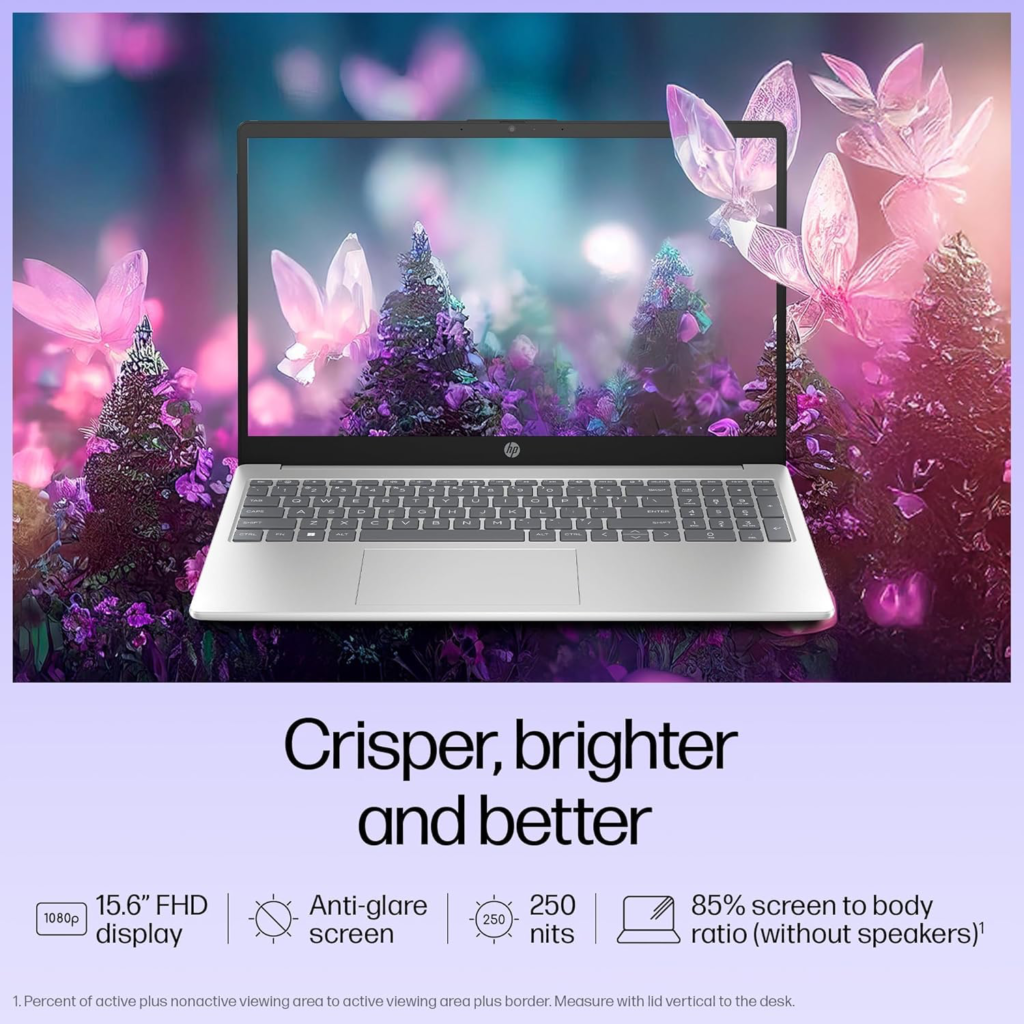
On top of that, the screen’s matte surface cuts down glare, letting your eyes stay relaxed through long tasks. Brightness hits a sweet spot – lively enough for presentations or online chats but true-to-life when handling regular work. When studying slides or unwinding with a show after class, clarity stays sharp without feeling harsh. The visual tone remains clean and approachable across every moment.
Keyboard and Trackpad
What stands out about the HP 15 is how good it feels just to type. Each keystroke sinks in smoothly, thanks to well-spaced keys that move just enough before responding. A solid bounce back keeps fingers alert without tiring them too fast. Over there, tucked neatly to the right, sits a number pad – handy for crunching figures or filling spreadsheets. People who spend hours entering data might find this little extra makes a big difference.
Every swipe feels just right on the big responsive trackpad, with fluid scrolls, zooms through pinches, along with quick multi-touch moves. Moving around pages and sites becomes surprisingly swift. On select models, a soft glow under the pad helps during nighttime work. What you get here in controls easily outdoes what others offer at this cost.
Battery Life of the HP 15
A single charge on the HP 15 lasts around eight hours, based on HP’s own tests. Running off a 41-watt-hour lithium-ion cell, it powers through busy stretches without needing a refill, giving approx ~5 hours of practical battery life. Mornings filled with lectures slip into midday tasks, then keep going past dinner. Work flows straight from classroom to conference, ending only when you do.
Power stays longer thanks to the sharp Intel chip inside. When juice runs low, plug in with the bundled smart wall charger – half power returns before sixty minutes pass. Work moves freely now, whether at the library, on a bench among trees, or sipping coffee outdoors, all without watching the battery tick down.
Cooling and thermal efficiency
Heat fades fast through the chassis, thanks to a smart layout inside. That low-wattage i3 chip runs without breaking a sweat. During long Zoom talks or number crunching, sound levels stay near silent. Touch base after hours of work – still no burn. Even when busy, it won’t roar as some machines do.
Cool operation helps the machine last longer, also stopping speed drops when things heat up. The HP 15 keeps pace steadily, unlike bulkier models that drag under load. Just a quick aside – your legs stay comfortable even during hot afternoon work marathons, nothing like those ovens people call gaming laptops.
Sound Quality of the HP 15
Sound comes through cleanly on the HP 15 thanks to its two built-in speakers. Instead of muddying up when turned louder, voices stay sharp and distinct. For online lectures or casual video sessions, clarity holds steady without fading out. Even with volume pushed, there is little sign of crackling or strain.
Surprisingly clear sound comes through the speakers, even if you skip extra gear. When quiet voices speak on video meetings, they stay sharp because HP shaped the output that way. Some may still plug in high-end earphones looking for punchier lows, yet regular tasks get by just fine without help.
HP 15 Connectivity and Ports
Starting off, the HP 15 packs a mix of ports fitting most current gadgets. One USB Type-C handles 5 Gbps transfers, while two standard USB slots sit beside it. An HDMI 1.4b outlet links to screens or projectors without fuss. Sound gear plugs into a shared audio jack built right in. Power flows through a smart AC pin connector designed for efficiency. Wireless tasks run smooth thanks to Realtek’s Wi-Fi 6 using dual antennas. Bluetooth 5.3 joins in, keeping devices linked reliably. Streaming files or pulling down cloud updates feels steady and quick.
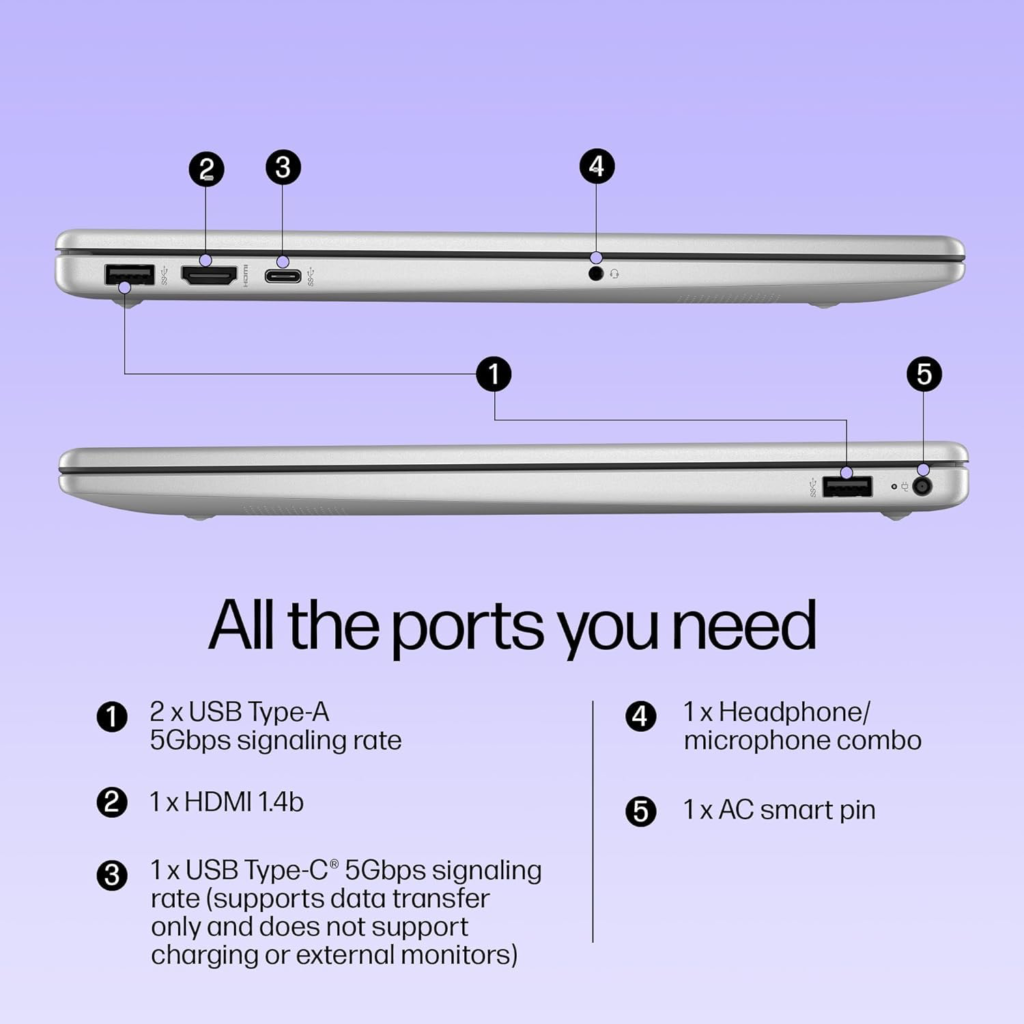
With Wi-Fi speeds up to a gigabit, the HP 15 wraps up big downloads fast. Need to hook up a monitor for slides or pull images straight from your phone? This laptop stays quietly in step with how you move through tech each day.
The Money Part – Price
Right off the bat, the HP 15 grabs attention without shouting. Preinstalled software includes Windows 11 Home Single Language, Microsoft Office Home 2024, along with a twelve-month subscription to Microsoft 365 Basic – items often sold separately elsewhere. Build quality holds up well under daily use. Speed comes through clearly thanks to the quick SSD. Performance stays steady during regular tasks. That mix delivers strong value for the price under ₹50,000. Suddenly, higher-end labels seem harder to justify.
For students, stretching each rupee matters most – the HP 15 delivers without asking for more later. Instead of getting just the basics that need fixing right away, you get something ready to work straight out of the box.
HP 15 stands out for its balance of performance and design
Start strong with solid performance – the HP 15 stands out once you’ve seen it all. Built for daily tasks without hiccups, thanks to a responsive chip paired with fast storage. Typing feels natural because the keys sit just right under your fingers. Power lasts through most days, so charging gaps fade into the background. Tough build quality backs up years of regular use, no surprises there. Extra programs come loaded, which makes the value even clearer by default.
Start with something solid. The HP 15 gives a high-end feel without the steep cost. This machine keeps up, so you can stay on track. Skip the struggle with the slow gear. A smooth run comes from careful design. Try it out – see how small details add up.
FAQs
Q: Is the HP 15 good for students? A: Absolutely. The HP 15 handles note-taking, research, online classes, and Microsoft Office tasks with ease while offering long battery life for campus days.
Q: Can I upgrade the RAM on the HP 15? A: Yes, the single 8 GB DDR4 slot allows future upgrades if your needs grow beyond basic multitasking.
Q: Does the HP 15 support external monitors? A: Yes, the HDMI 1.4b port lets you connect projectors or monitors for presentations and extended desktops.
Q: How loud is the fan on the HP 15? A: The HP 15 runs whisper-quiet thanks to efficient cooling, making it perfect for libraries and quiet offices.
Q: Is the HP 15 suitable for video editing? A: Light video editing and photo work run smoothly, though heavy 4K projects benefit from more powerful machines.
Q: What warranty comes with the HP 15? A: Register your HP 15 using the customer invoice for standard warranty coverage. HP also offers toll-free support and online assistance.
Q: Does the HP 15 come with Microsoft Office? A: Yes! The HP 15 includes Microsoft Office Home 2024 plus one year of Microsoft 365 Basic at no extra cost.
Stay Healthy, Stay Safe, Jai Hind!