🤖 The Ultimate Guide: Best AI Image Generators of 2026
AI image tools aren’t just cool tech anymore – they’re essential for anyone making digital stuff. By late 2025, tons of strong options flood the scene, each good at something unique in visuals. Picking the best AI generator isn’t about chasing the top name, rather it’s matching one to how you work, what you can spend, and what kind of art or design you aim to create.
This full walkthrough covers the best five AI tools for making images – some closed, others free to use – so you can get a clear view of what’s out there, then pick the right one for your upcoming work.
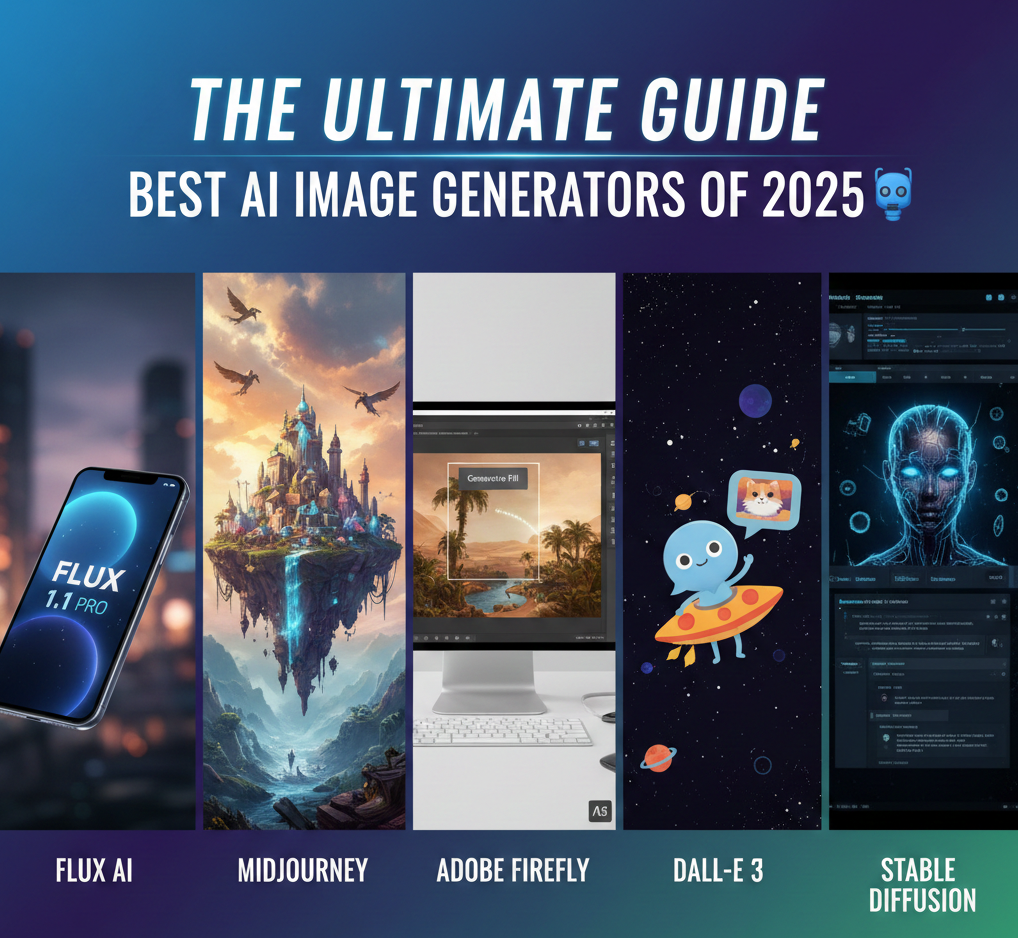
Table of Contents
Top 5 AI Image Generators Shaping the Industry
The latest top AI tools for images nail real-life detail, creative flair, simple operation, also legal peace of mind. Check out our take on the front-runners right here:
1. Midjourney: The Artistic Powerhouse
Midjourney keeps proving it’s the go-to spot for visuals that stand out – thanks to a unique creative touch and smart layout choices.
- A strong point? Its look stands out – Midjourney brings moody light effects, fine textures, yet tells full scenes through images. Artists pick it when they want pro-level artwork or ideas sketched visually.
- New update (v6.1) brings more lifelike results while sticking closer to what you ask. This version handles detailed or lengthy prompts better, grasping how subjects connect with their surroundings.
- Workflow: Mainly used via a cool Discord setup that helps people get creative, yet the separate website is getting better fast.
- Great choice for concept artists or illustrators – also suits folks who want striking visuals more than perfect details. Some say it’s the top AI tool for creatives who value originality. Instead of strict realism, it leans into bold, eye-catching styles. A go-to if standout art matters most.
- Pricing Insight: It’s subscription-only – no free option. Starting near $10 a month, it gives you access to GPU power so things run quick – but instead of stacking features, they just hand you speed.
2. Flux 1.1 Pro: Hyper-Realism and Text Accuracy
A game-changer, Flux AI now sets the standard for realism – especially in handling words, something many AI tools still mess up.
- Flux 1.1 Pro nails realistic visuals – so close to actual photos you might not tell the difference. It also handles written words, signs, or fonts right inside the image without glitches. Instead of just blending stuff in, it places text naturally where it should be. No fuzzy letters or odd spacing, just clean results every time.
- New edge: Open-weight pro systems. While sharing free dev builds online, Flux also runs slicker Pro versions through API access – great for labs or firms wanting top-tier image quality.
- Workflow: Mostly handled through a strong API to fit into personal tools, yet some niche web interfaces are available.
- Great for marketing teams, online stores, or creators wanting true-to-life previews – think ads, packaging, or branded visuals that actually look real. Instead of guesswork, they get sharp images showing how products appear in everyday use.
- Pricing Insight: A pay-as-you go setup shows up a lot with Pro versions, while simpler ones sit free and open for offline runs – so you pick your pace.
Also Read,
Top AI Writers in 2025
3. Adobe Firefly: Commercial Safety and Design Integration
Adobe Firefly tackles big worries around business use and fitting into workflows – so it’s the top pick for companies needing solid tools.
- Core strength? Safe use in business plus smooth fit into digital ecosystems. Firefly learns only from legal sources – like Adobe Stock or open material – which slashes the chance of copyright trouble when used commercially.
- Now there’s something new: Deep Generative Fill. Built right into Photoshop and Illustrator, it lets people tweak images in ways that weren’t possible before – swap stuff out, toss things in, or stretch scenes wider by just typing what they want while working on a project.
- Works smoothly with all Adobe Creative Cloud apps, so designers stay focused without jumping around. Uses natural flow between tools instead of constant app switches. Keeps everything running side by side for faster results. Helps cut clutter while moving from one task to another.
- Fine-tuned for graphic design squads, big companies, or people making digital stuff – anyone needing safe-to-use files by the truckload that work smoothly in common creative software.
- Pricing Insight: You usually get it through Creative Cloud plans – uses credits if you generate lots at once.
4. DALL-E 3: The Conversational Creator
DALL-E 3 runs on OpenAI tech, making it easy to use while understanding everyday speech well – so you get what you ask for without confusion. Though built smart, it keeps things straightforward so anyone can jump in fast.
- Because it’s built right into GPT-4o, DALL-E 3 gets what you mean – even if you explain things in a few back-and-forth sentences. Instead of just one-line commands, it works with chat-like inputs, turning detailed descriptions into clear images that actually match your idea. It doesn’t just guess – keeps up with changes or tweaks you make along the way.
- New perk: GPT-4o built in. Now you talk your way through making images – just say stuff like, “Swap the helmet to shiny metal, throw in a red line,” so tweaks feel natural
- Try it with ChatGPT Plus or Microsoft Copilot – works super quick that way. Gets ideas flowing fast, especially when sketching things out. Speedy results come from using these tools together.
- Prefect choice for bloggers or folks handling social media – also great for newbies wanting quick results without diving deep into complex commands. Simple tools that just work when you need certain images fast.
- Pricing Insight: You can get it with a $20/month ChatGPT Plus plan – comes with endless relaxed responses – or use pay-per-use API access instead.
5. Stable Diffusion (SD3): The Open-Source Champion
Stable Diffusion – especially the new SD3 versions – works best for heavy users, coders, or anyone needing full command. While it’s built for flexibility, setup can take effort. Because features are deep, learning curves pop up fast. Still, if tweaking every detail matters, this tool delivers. Not ideal for beginners, yet strong for experts who want precision.
- Stable Diffusion is open-source, so you can use it on your own machine. Instead of relying on cloud tools, folks tweak it using LoRas made by others online. These small add-ons shape how images look – perfect if you want a unique style. Because it’s flexible, users adjust details based on what they’re trying to create.
- Last update brings better SD3 text flow. This version sharpens images a lot while fixing common body glitches from before; it also follows prompts more reliably, making it much closer to top paid tools.
- Process: Pretty complex, needs a bit of setup if running locally – though you can use online platforms like DreamStudio instead for something simpler.
- Ideal for coders, folks testing AI stuff, tinkerers who know their way around tech – anyone wanting no limits on what they create or aiming to save big over time when making lots of customized output.
- Pricing Insight: Use it free if you host it yourself – just mind the hardware price – or pick a cloud option that charges per use or with a monthly fee.
Final Verdict: Which of the AI Image Generators is Right for You?
The top AI image tool isn’t just one app – it’s whatever boosts your ideas faster. Pick by weighing three things: how sharp the images are, how secure it feels, also how much you can tweak them.
- If you need solid safety plus smooth tool links at work, Adobe Firefly fits best. The clear rules around usage make the Creative Cloud price fair.
- For creatives chasing top-tier art quality – given they’re ready to learn its prompts – Midjourney still stands out. Though it demands patience, the results beat most tools hands down.
- If photorealistic quality plus sharp text matter most for your brand, Flux 1.1 Pro outperforms others hands down – its tech edge makes a real difference.
- For the Developer/Power User: If Total Control and customizability at scale are paramount, the open-source power of Stable Diffusion is unbeatable.
- For Quick, Conversational Results: If Ease of Use and fast iteration via natural language are your priority, DALL-E 3 through ChatGPT offers the simplest and most intuitive experience.
By carefully considering these factors, you can move beyond simple text-to-image creation and leverage the full, professional power of the top AI image generators in 2025.
❓ Frequently Asked Questions (FAQs) about AI Image Generators
To make sure you enjoy your pick fully, check these five tips based on real user questions – smart answers about AI image tools that actually help. Instead of guessing, learn what works through clear examples made just for everyday use
Q1: Which AI Image Generators are Best for Commercial Use and Avoiding Copyright Issues?
A solid choice for safe AI image creation? Try Adobe Firefly. It learns mostly from paid Adobe Stock pics along with free-to-use material. You get IP protection when you make stuff – so fewer worries if it’s for clients or sales. That means less chance of legal trouble down the line.
Q2: Is there a truly free AI Image Generator that offers high-quality results?
A: Though tools like Midjourney or Flux AI don’t give endless free use forever, solid alternatives still exist at no cost. Yet DALL-E 3 pops up freely via Microsoft’s Bing Image Creator or Copilot. However, Stable Diffusion stands out as a strong pick – open-source, runs on your own machine, totally free – but demands tech know-how and decent gear.
Q3: What is the main difference between Midjourney and DALL-E 3?
A: The key distinction is where they shine and how they work. While Midjourney nails artistic flair and movie-like visuals, it usually needs careful wording to get things right. On the flip side, DALL-E 3 – hooked up with ChatGPT – handles chat-style prompts like a pro, understanding detailed descriptions without hassle. One gives you creative control; the other saves time. Instead of juggling phrases, you just say what’s on your mind.
Q4: How can I ensure my AI-generated image has accurate text/logos?
A: Most AI image tools used to mess up readable text. But now, newer versions – especially Flux 1.1 Pro or recent Google ones such as Imagen 3 – handle words way better. To get text just right, spell out the wording, typeface, and spot clearly in your request while picking a model famous for sharp, real-life visuals.
Q5: Can I train an AI Image Generator on my own art style or photos?
A: Yep, plenty of AI image tools let you tweak or train the model. Some, built on Stable Diffusion’s open code, let you make your own versions – usually named LoRAs – by uploading personal pictures. Sites such as Leonardo.ai give options that do something alike, shaping a unique ‘look’ or ‘figure’ from what you provide. That way, outputs can fit a certain vibe or visual theme better.
Stay Healthy, Stay Safe, Jai Hind!